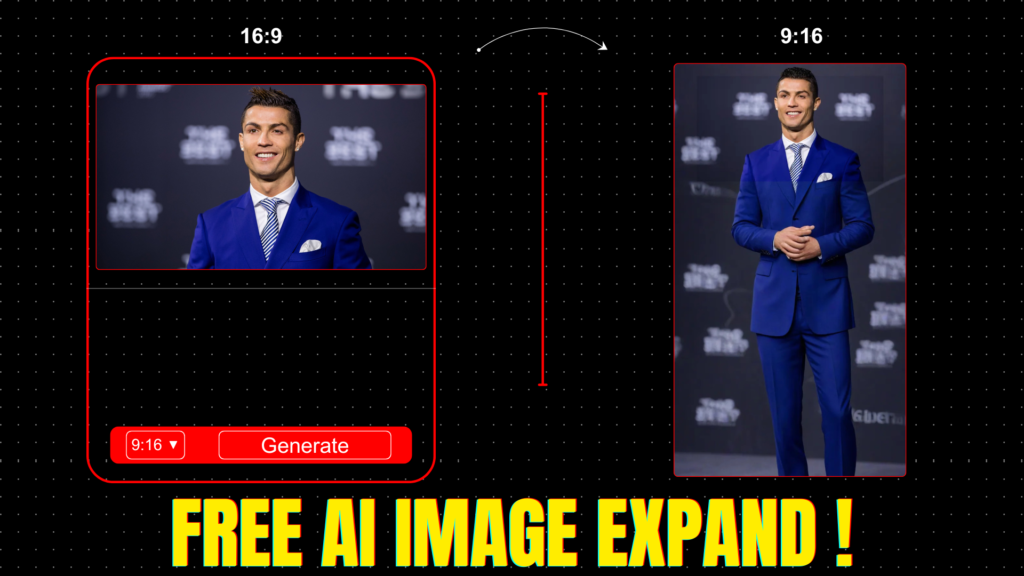
In the world of digital content creation, finding the right tool to enhance and expand images can be challenging. Luckily, with advancements in AI, there’s now a powerful solution that makes image expansion seamless and efficient. Introducing the FREE AI Image Expander Tool — a game-changing platform that extends your images like magic!
What is the AI Image Expander Tool?
The AI Image Expander tool, available for free on Hugging Face, allows users to expand their images effortlessly. Whether you’re a graphic designer, content creator, or social media marketer, this tool is designed to help you extend your visuals with stunning results.
Key Features of the AI Image Expander Tool
- Free to Use: No subscriptions or fees required.
- Customizable Aspect Ratios: Choose default ratios like 9:16, 1:1, or set custom dimensions.
- Alignment Control: Position your uploaded image at the Top, Middle, Left, Right, or Bottom.
- Prompt Support: Add custom prompts to enhance the expanded area with creative elements.
- Fast Processing: Generates results within seconds with impressive quality.
How to Use the AI Image Expander Tool
Follow these simple steps to expand your images like a pro:
- Visit the Tool: Go to this link.
- Upload Your Image: Click on the upload button and select the image you want to expand.
- Add a Prompt (Optional): Enter a prompt if you want to add specific elements in the expanded area.
- Choose Aspect Ratio: Select from available ratios like 9:16, 1:1, or set custom dimensions.
- Set Image Alignment: Align your image to the Top, Middle, or Bottom for desired positioning.
- Click Generate: Watch the tool work its magic to expand your image perfectly.
- Download Your Image: Once processed, simply click the Download button to save your enhanced image.
Common Issues and Solutions
While the tool is highly efficient, you may occasionally encounter errors during processing. If that happens:
- Try re-uploading the image.
- Adjust the prompt or aspect ratio settings for improved results.
Why Use the AI Image Expander Tool?
This tool is perfect for:
- Expanding images for social media platforms like Instagram, Facebook, and TikTok.
- Enhancing backgrounds for design projects.
- Generating creative content with AI-driven prompts.
Final Thoughts
The FREE AI Image Expander Tool is an incredible solution for enhancing your visuals with minimal effort. Whether you’re expanding landscape photos, product images, or creative designs, this tool makes the process simple and effective.
For more tips, tutorials, and exciting tools, stay tuned! Don’t forget to share your thoughts in the comments and subscribe for updates.